Exclusions that blind EDR, too.
Most exclusions only affect the virus scanner. Linux global exclusions and allow indicators also switch off detection. Gapsio gives them their own view.
Endpoint
Intune, Security Settings Management, changes made locally on the device and allow indicators in Defender for Endpoint – for Windows, macOS and Linux, in one list. Every entry gets a risk rating you can follow: the broader, the more writable and the less centrally managed, the riskier.
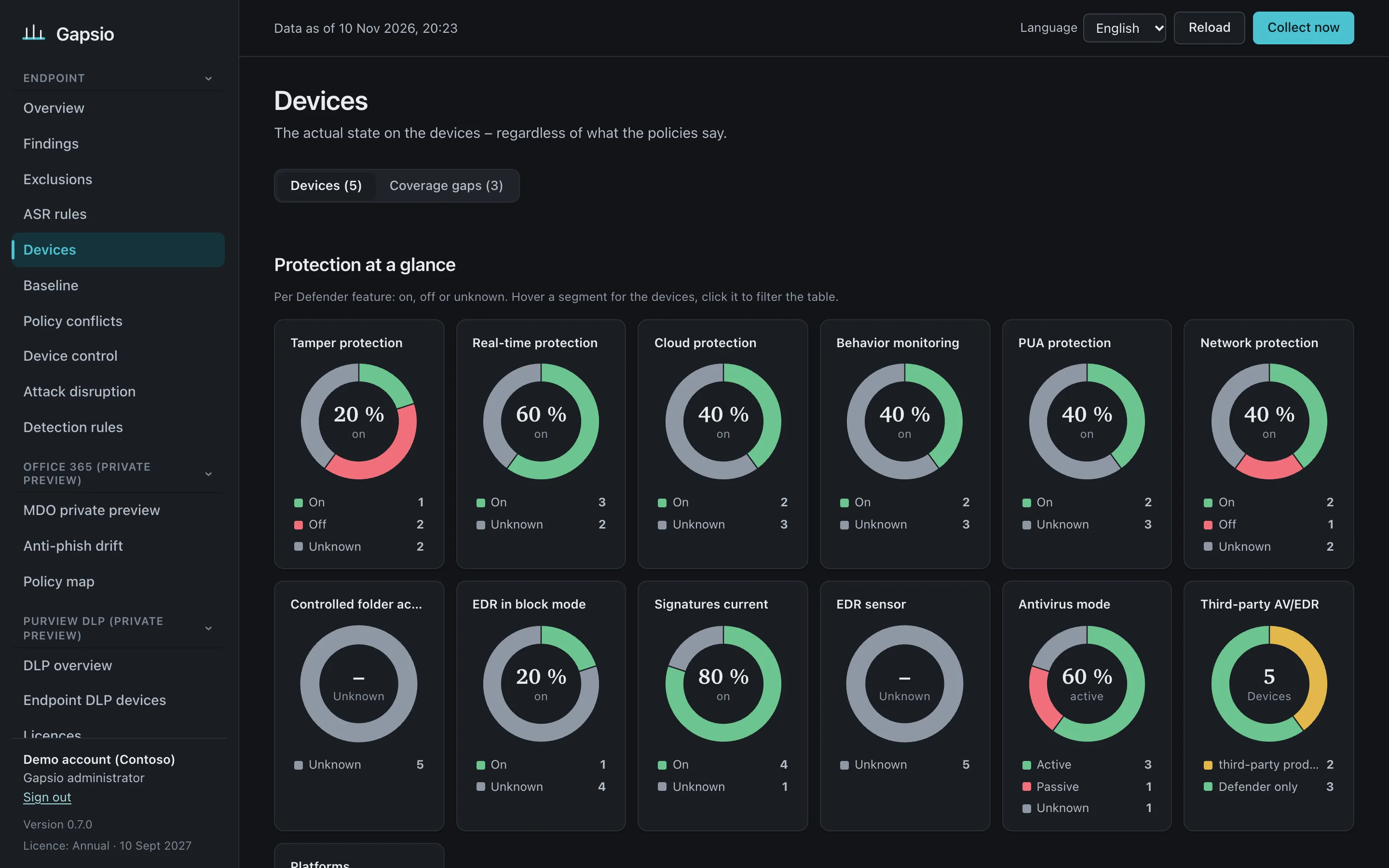
Exclusions from Intune, Group Policy and the local registry, ASR rules per device and device group, baseline, tamper and network protection, platform and signature age.
Exclusions from Intune and local mdatp commands, baseline, Full Disk Access and system extensions, agent version.
Global exclusions that also blind EDR, local changes through mdatp config and mdatp_managed.json, real-time protection, agent version.
Most exclusions only affect the virus scanner. Linux global exclusions and allow indicators also switch off detection. Gapsio gives them their own view.
Added by someone on the device, not in any policy. Gapsio finds them through Advanced Hunting and keeps the history beyond Defender’s 30 days.
Target, configured and effective mode for every rule – overall, per Defender device group and per device, including conflicts between policies and ASR exclusions.
Microsoft Defender Antivirus on Windows, macOS and Linux against your baseline – and exactly what changed since the last run.
Did anything run from that path in the last 30 days? If not, the exclusion is a blind spot you can remove.
Gapsio compares Intune-managed devices with Defender for Endpoint and lists every device that was never onboarded – the gaps no Defender report can show you.
Operating systems past end of support, devices without a recent scan, WSL without the Defender plug-in, detected threats set to “allow”, passive mode without EDR in block mode – and ASR rules that are ready for block because audit saw nothing in 30 days.
Is the Intune connector on for every platform you use? Does compliance require a low machine risk score, and does Conditional Access enforce it? Otherwise a compromised device keeps its access.
Read-only, self-hosted in your Azure subscription, running in minutes. Every check is free.